
Manage Fitness Plans for Multiple Clients Efficiently
Managing multiple clients sounds simple until plans overlap, messages get missed, and tracking becomes messy. This usually starts once you cross 8 to 10 active clients. The fix is not more effort. It is a clear system that handles planning, tracking, and communication in one place.
Step 1: Standardize Your Plan Structure
Before you customize anything, fix your base structure. Use the same format for every client:
Warm-up routine and mobility drills.
Main workout split and weekly schedule.
Cardio plan based on fitness level.
Nutrition guidance with flexible options.
Progress tracking metrics and checkpoints.
This keeps your workflow consistent and faster.
Step 2: Build Reusable Plan Templates
You should not create every plan from scratch. Start with templates based on common goals:
Fat Loss Beginner Workout Structure.
Muscle gain intermediate training split.
Strength-focused progressive overload plan.
Home workout plan with minimal equipment.
Low-impact recovery and rehab routine.
Then adjust the volume, intensity, and rest periods for each client. A CRM for fitness coaches helps you store templates, duplicate them, and edit without breaking structure.
Step 3: Segment Your Clients Smartly
Handling clients one at a time slows everything down. Group clients based on goals or behaviour:
Weight loss clients with active routines.
Muscle gain clients with gym access.
Busy professionals need short workouts.
Clients need weekly accountability support.
Premium clients need high-touch coaching.
This lets you update multiple plans faster.
Step 4: Track Progress Without Guesswork
If you rely on chats or memory, you will miss details. Track these consistently:
Weekly weight and body measurements.
Strength progression in key exercises.
Workout completion and adherence rate.
Energy levels and recovery feedback.
Nutrition consistency and habit tracking.
A CRM for fitness coaches keeps all this data in one place, making decisions easier.
Step 5: Automate Check-ins and Updates
Manual follow-ups waste time and get skipped. Set a simple system:
Weekly progress form for all clients.
Automated reminders for missed workouts.
Monthly plan adjustment schedule.
Feedback form for workout difficulty.
Nutrition habit tracking forms.
Using a CRM for fitness coaches, you can automate reminders and collect responses without chasing clients.
Step 6: Keep Communication Clean and Centralized
Most coaches lose time switching between apps. Keep everything in one place:
Client messages are inside one platform only.
Progress updates linked to each profile
Plan updates logged with a clear history.
Feedback is stored in one structured format.
Notes attached to each client record.
A CRM for fitness coaches reduces confusion because everything stays connected.
Step 7: Review and Optimize Weekly
Do not wait for issues. Review your system every week:
Which clients are not progressing well?
Which plans need immediate adjustment?
Who is missing workouts consistently?
Where is time being wasted daily?
What can be automated next?
Small weekly changes keep your system efficient.
How to Handle 20+ Clients Without Losing Quality
Once you reach 20 clients, small inefficiencies snowball quickly. Focus on:
Fixed weekly review time for all clients
Strict use of templates for every plan
No communication outside your system
A simple weekly flow:
Monday: Review check-ins and update plans
Wednesday: Follow up with inactive clients
Friday: Prepare next week's workouts early
A CRM for fitness coaches helps manage this scale without missing updates.
Simple Workflow Comparison
See how a structured system changes the way you manage fitness clients.
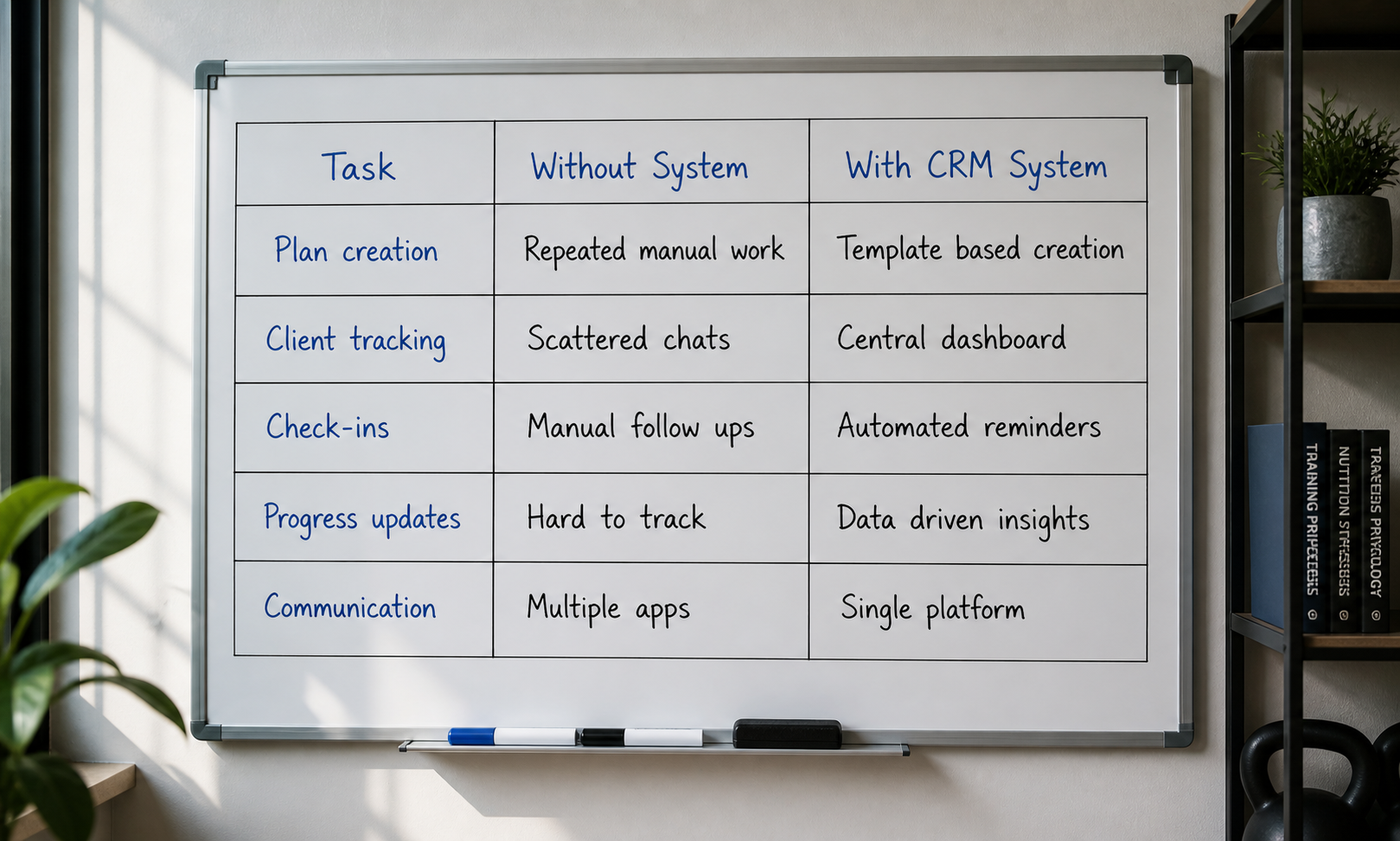
Task | Without System | With CRM System |
Plan creation | Repeated manual work | Template-based creation |
Client tracking | Scattered chats | Central dashboard |
Check-ins | Manual follow-ups | Automated reminders |
Progress updates | Hard to track | Data-driven insights |
Communication | Multiple apps | Single platform |
A simple system removes chaos and makes scaling your coaching much easier.
Tools Coaches Actually Use Daily
You do not need many tools. You need the right setup.
Client management and plan storage system.
Workout builder with reusable templates.
Progress tracking with a clear data view.
Automated check-in and reminder system.
Central communication dashboard for clients.
A CRM for fitness coaches usually combines most of these.
Frequently Asked Questions
How do I manage more clients without burnout?
Use templates, automate check-ins, and track everything in one place, rather than managing each client manually.
What is the fastest way to customize fitness plans?
Start with a base template and adjust sets, reps, and intensity based on the client’s goal and progress.
How often should fitness plans be updated?
Review weekly and adjust every 3 to 4 weeks based on progress, adherence, and feedback.
How do coaches track client progress effectively?
Track weight, strength, workout completion, and feedback in one system, not in chats.
How can I improve client retention in fitness coaching?
Consistent check-ins, visible progress tracking, and timely plan updates keep clients engaged.
Related Posts
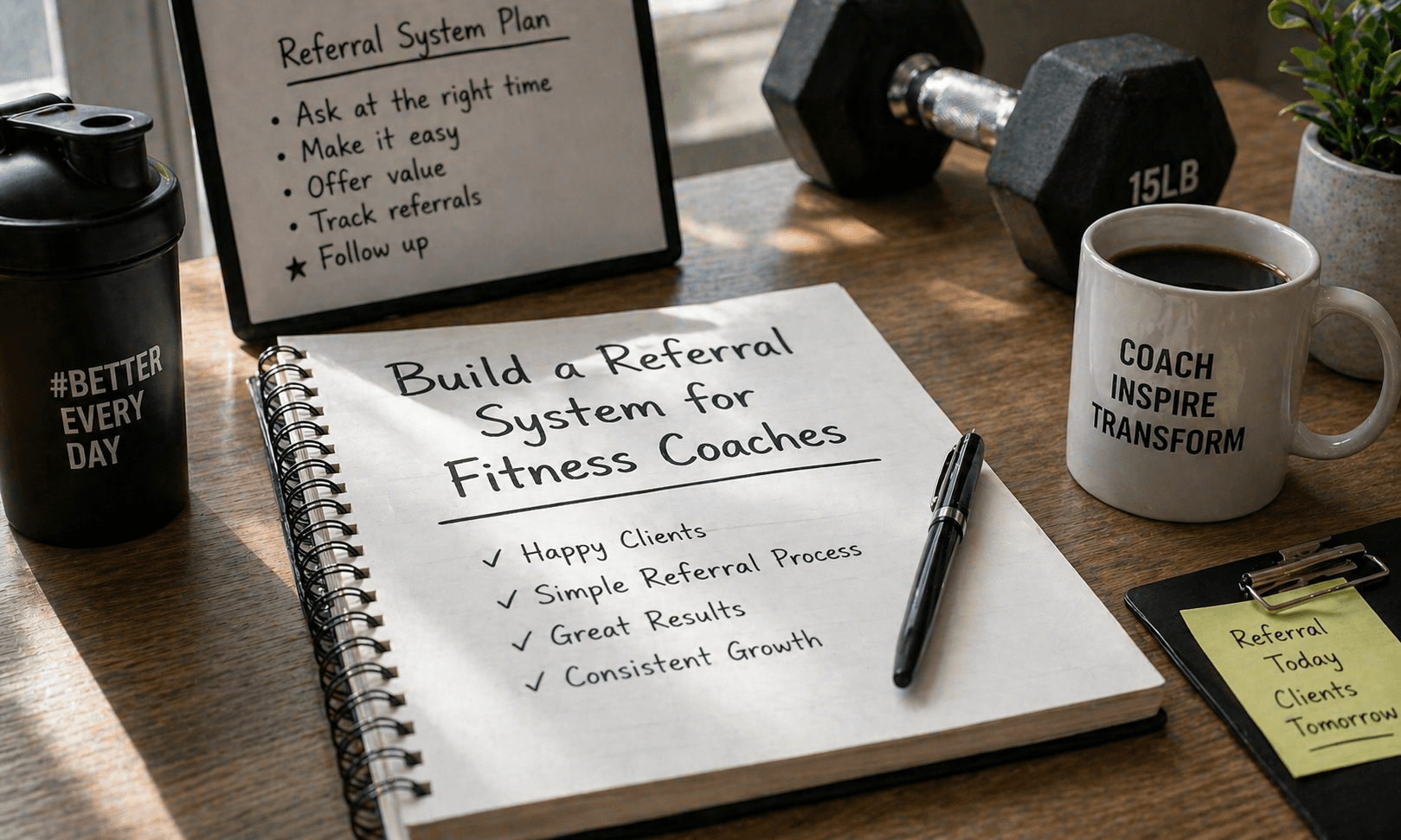
Build a Referral System for Fitness Coaches
Create a referral system for fitness coaching that drives consistent client growth through structured asks, simple rewards, and clear tracking without guesswork

Price Online Fitness Coaching for Profit in 2026
Set profitable pricing for online fitness coaching in 2026 with a clear package structure, positioning, and client value to improve revenue and long-term growth